1. RxJava Operator Process Explanation
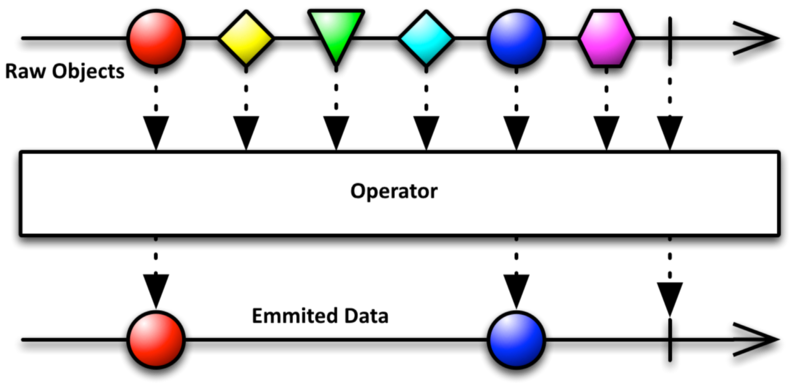
2. Create Observable
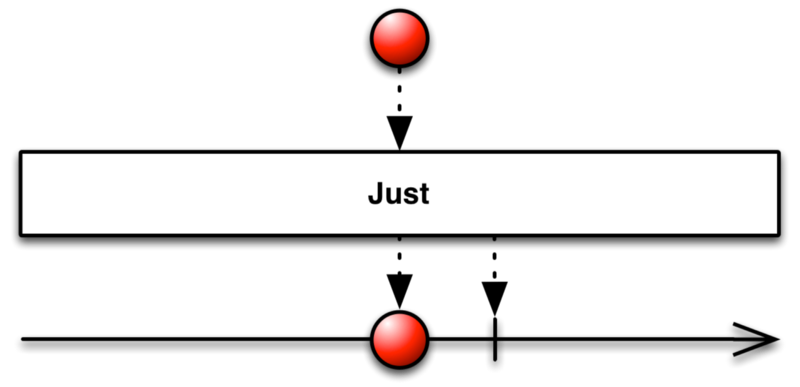
Observable.just(1, 2, 3, 4, 5)
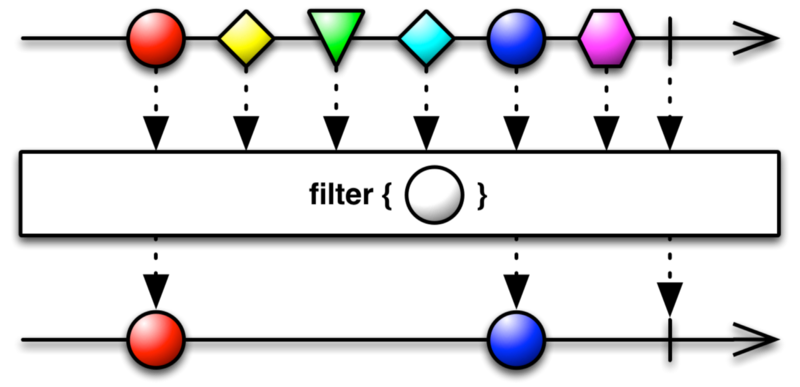
 Observable
    .just(1, 2, 3, 4, 5)
    .filter(new Func1<Integer, Boolean>() {
        @Override
        public Boolean call(Integer integer) {
            //check if the number is odd? If the number is odd return true, to emmit that object.
            return integer % 2 != 0;
        }
    });
3. Create Observer
Observer<Integer> observer = new Observer<Integer>() {
    @Override
    public void onCompleted() {
        System.out.println("All data emitted.");
    }

    @Override
    public void onError(Throwable e) {
        System.out.println("Error received: " + e.getMessage());
    }

    @Override
    public void onNext(Integer integer) {
        System.out.println("New data received: " + integer);
    }
};
When you don’t care about onCompleted() or onError(), you can use Action1 class (call() == onNext()).
Action1<Integer> onNextAction = new Action1<Integer>() {
    @Override
    public void call(Integer s) { //This is eqivelent to onNext()
        System.out.println(s);
    }
};
4. Create Scheduler
Observable<Integer> observable = Observable
  .just(1, 2, 3, 4, 5)
  .filter(new Func1<Integer, Boolean>() {
      @Override
      public Boolean call(Integer integer) {
          //check if the number is odd? If the number is odd return true, to emmit that object.
          return integer % 2 != 0;
      }
  });

Observer<Integer> observer = new Observer<Integer>() {
  @Override
  public void onCompleted() {
      System.out.println("All data emitted.");
  }

  @Override
  public void onError(Throwable e) {
      System.out.println("Error received: " + e.getMessage());
  }

  @Override
  public void onNext(Integer integer) {
      System.out.println("New data received: " + integer);
  }
};

Subscription subscription = observable
  .subscribeOn(Schedulers.io())       //observable will run on IO thread.
  .observeOn(AndroidSchedulers.mainThread())      //Observer will run on main thread.
  .subscribe(observer);               //subscribe the observer
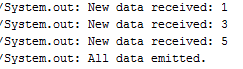
Output of the above program is:
5. Unsubscribe
5.1 Unsubscribe from Single Subscription
subscription.unsubscribe();
5.2 Unsubscribe from Multiple Subscriptions
public class MainActivity extends BaseActivity {
    private CompositeSubscription mSubscription = new CompositeSubscription();

    @Override
    protected void onCreate(Bundle savedInstanceState) {
      //...
      //...
      //...

      mSubscription.add(subscription1); //Add subscription 1
      mSubscription.add(subscription2); //Add subscription 2
    }

  @Override
  public void onDestroy() {
      super.onDestroy();

      //Unsubscribe both subscriptions.
      mSubscription.unsubscribe();
  }
}